
This file type list and cheat sheet by 99designs guides you through the appropriate file types to use for various digital projects. It goes over the common use cases, what you should know, and technical details of many of the digital file types. The list is designed to save you time and eliminate any confusion when it comes to working with a designer or creating your own product.
Source: 99designs
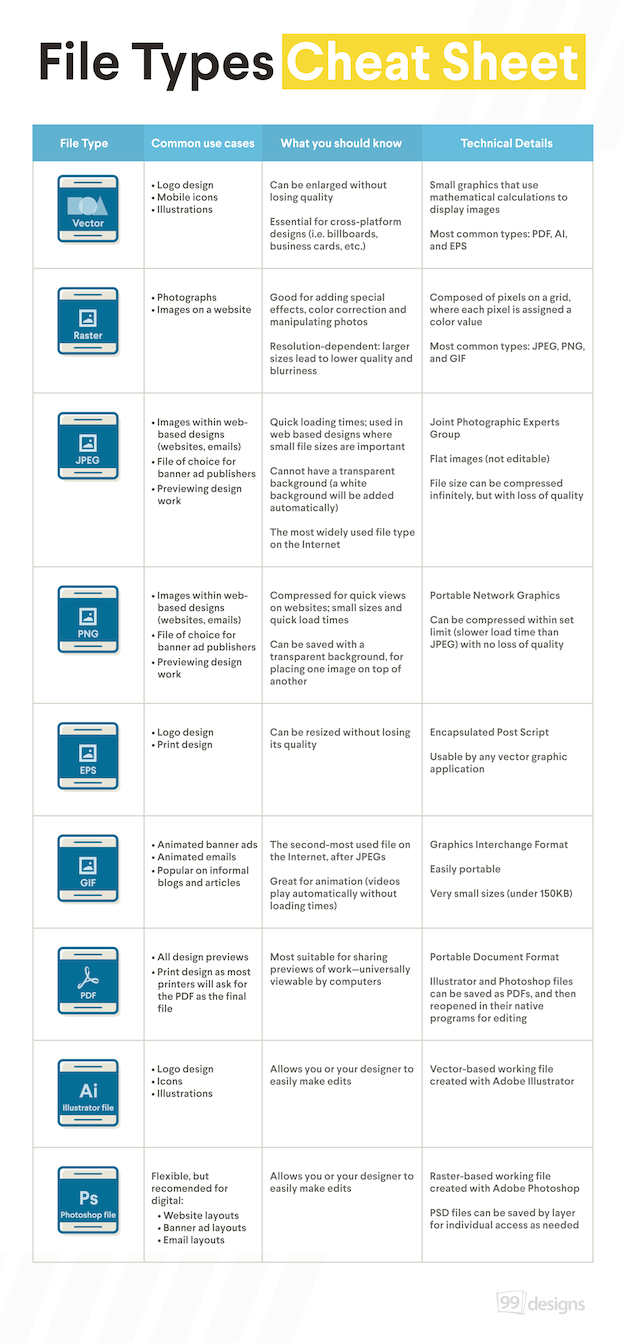
File Type List
This helpful resource list provides you with the information needed to avoid a few of the major pitfalls or delays you might run into when working with photos or other design related materials for your photography business.
Vector
- Logo Design
- Mobile icons
- Illustrations
Details
- Can be enlarged without losing quality
- Essential for cross-platform designed (i.e. billboards, business cards, etc.)
Technical
- Small graphics that use mathematical calculations to display images
- Most common types: PDF, AI, and EPS
Raster
- Photographs
- Images on websites
Details
- Good for adding special effects, color correction and manipulating photos
- Resolution-dependent: larger sizes lead to lower quality and blurriness
Technical
- Composed of pixels on a grid, where each pixel is assigned a color value
- Most common types: JPEG, PNG, and GIF
JPEG
- Images within web-based designs (websites, emails)
- File of choice for banner ad publishers
- Previewing design work
Details
- Quick loading times; used in web based designs where small file sizes are important
- Cannot have a transparent background (a white background will be added automatically)
- The most widely used file type on the Internet
Technical
- JPEG - Joint Photographic Experts Group
- Flat images (not editable)
- File size can be compressed infinitely, but with loss of quality
PNG
- Images within web-based designs (websites, emails)
- File of choice for banner ad publishers
- Previewing design work
Details
- Compressed for quick views on websites; small sizes and quick load times
- Can be saved with a transparent background, for placing one image on top of another
Technical
- PNG - Portable Network Graphics
- Can be compressed within set limit (slower load time than JPEG) with no loss of quality
EPS
- Logo design
- Print design
Details
- Can be resized without losing its quality
Technical
- EPS - Encapsulated Post Script
- Usable by any vector graphic application
GIF
- Animated banner ads
- Animated emails
- Popular on informal blogs and articles
Details
- The second-most used file on the Internet, after JPEGs
- Great for animation (videos play automatically without loading times)
Technical
- GIF - Graphics Interchange Format
- Easily portable
- Very small sizes (under 150KB)
- All design previews
- Print design as most printers will ask for the PDF as the final file
Details
- Most suitable for sharing previews of work - universally viewable by computers
Technical
- PDF - Portable Document Folder
- Illustrator and Photoshop files can be saved as PDFs, and then reopen in their native programs for editing
Ai - Illustrator File
- Logo design
- Icons
- Illustrations
Details
- Allows you or your designer to easily make edits
Technical
- Vector-based working file create with Adobe Illustrator
Ps - Photoshop File
- Flexible, but recommended for digital website layouts, banner ad layouts, and email layouts
Details
- Allows you or your designer to easily make edits
Technical
- Raster-based working file created with Adobe Photoshop
- PSD files can be saved by layer for individual access as needed